I found this too. Seems airlines with smaller aircraft are more likely to give you domestic flights. I had an airport in Canada and signedup Crown Airlines. I only got one flight from within Canada and the rest from the USA. I then signed up another airline with ATRs, CRJs, etc and got mostly domestic flights. It’s not really realistic as in Canada we often see 777s flying domestic flights across the country.
I agree! I like the colours, but I don’t like that they appear when building. Zones and Rooms should be automatically off when building because it’s impossibile to see where are you placing the objects
1 Like
The feedback we collect from the experimental testing extends well beyond this forum and while the voices here are very important to us, we as developers always need to look at the full and big picture. This forum only represents a small part of that picture as the large and silent majority are most active on other platforms but perhaps most so in the backlog. It doesn’t make sense for us to spend time on development of a visual feature that tens of users on this forum complain about when hundreds of users in the backlog report functional issues that have a lot higher impact.
5 Likes
Can this be optional or something? My airport design clusters the self check in areas near the entrances of the departure hall, where after passing the self check in clusters you either turn left/right to baggage drop or head straight to security if travelling with no check in bags.
I’m just salty that my airport is set in Japan, is decently big enough, and I’m not getting 500 seater 777s
I feel like this has been an issue for literally forever, it got to the point where I just shut down the bus bays and subways are the main form of airport access. Even on my A33-era airport there was still massive queueing for buses.
(no parking lots yet since I’m still sorting out baggage system design in the basement)
The distance requirement will be very liberal, it’s mainly just to make sure that you actually have some placed and that they’re not hundreds of meters away. 
Please report all of these balancing issues, we need all saves here to test and verify against in order to make sure that the spawn ratios are correct.
3 Likes
in my case it could very well be, though I guess what I should be doing would be to simply add a third entrance in the middle of the terminal, complete with elevators to check in on the top floor. Right now the two entrances are just at the ends.
Gave you a ping on Discord.
I saw that, though some reason there is social distancing ingame
My medium stand is “Domestic” and I seem to be unable to change that (using the International Zone Tool). Bug or feature?
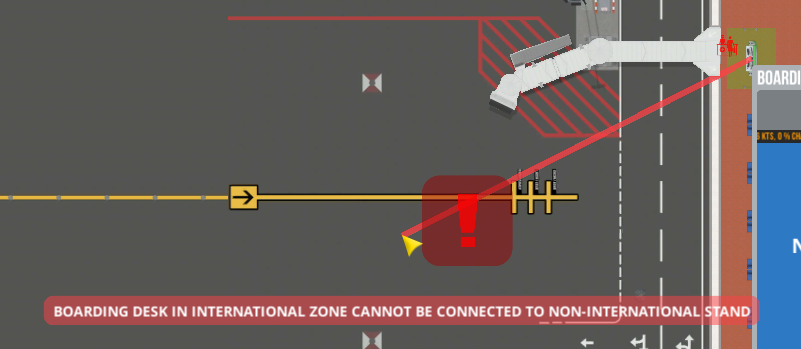
What zone type is underneath the boarding desk?
1 Like
One thing ive noticed Olof is that if the internation flight are switched on - the domestics stop working. Cant seem to have da domestic/ international mixed airport 
You only need to draw the terminal on one floor as it account for the entire building and its contents  You can also extend it when you grow the terminal outwards.
I haven’t had a single domestic medium flight inbound for over 6 hours IRL This is truly frustrating. I’ve turned off international for the one medium stand I have. Flight Planner is cluttered with hundreds of international. Prior to this update (which will eventually go to Default, so don’t tell me to switch to default), I had lots of medium flights.
When baggage is unloaded from small planes now, it never makes it to the cargo bay. I submitted a bug report about that.
2 Likes
Anyway to delte people from the save file? I cleared all stuck people beside one passenger and to workers that are stuck and not want to leave. I want to delete them.
I don’t think it’s a bug with regard to terminal zoning, but this was a hindrance for me. I have an airport currently built with a separate terminal for aircraft gates and then the main check-in baggage building. Both are connected via an underground walkway with walk-a-lators, which is working nicely for passenger flows.
The issue was when I tried to give the aircraft gates a terminal assignment so that I could assign a subset of staff to manning positions in that building without having to cross the underground walkway. But I found that this doesn’t work if there’s no check-in desks enclosed in that footprint, and I started getting warnings for lack of check-in desks for flights. Removing the terminal zoning fixed that.
I can see why it’s required to have check-in desks for A.I. pathing and such. As a future feature, it might be nice to have a separate zoning feature just for employees alongside the terminal assignments. Or, maybe, the ability to assign specific personnel counts to staff rooms.
1 Like
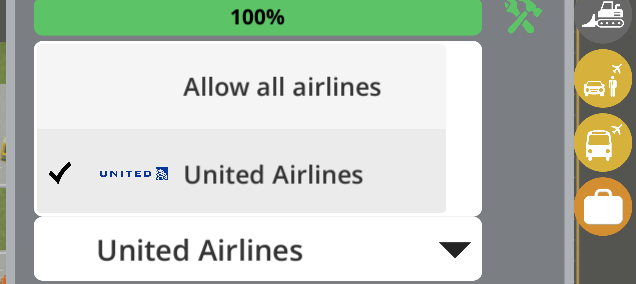
just noticed that when signing a contract with large and medium aircraft they don’t auto schedule in the flight planner unless I assign them to stands. Shouldn’t they schedule with “Allow All Airline’s” selected?"
Experimental branch latest.
3 Likes
@twocflyer, I think you just found a major bug. Please submit that. This may be the reason I’ve had no medium domestic flights for my one Medium Stand.
Solved it!
1 Like
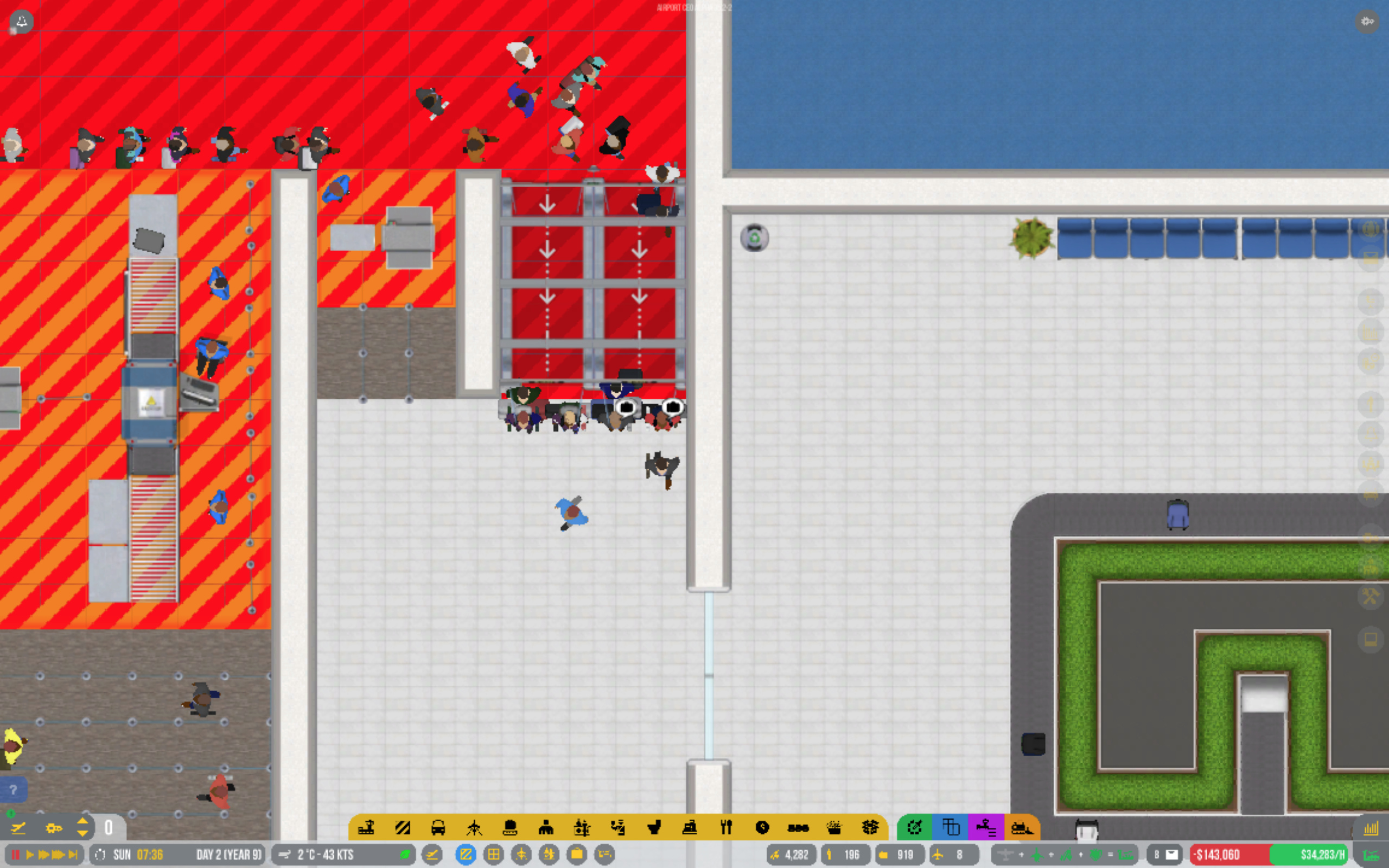
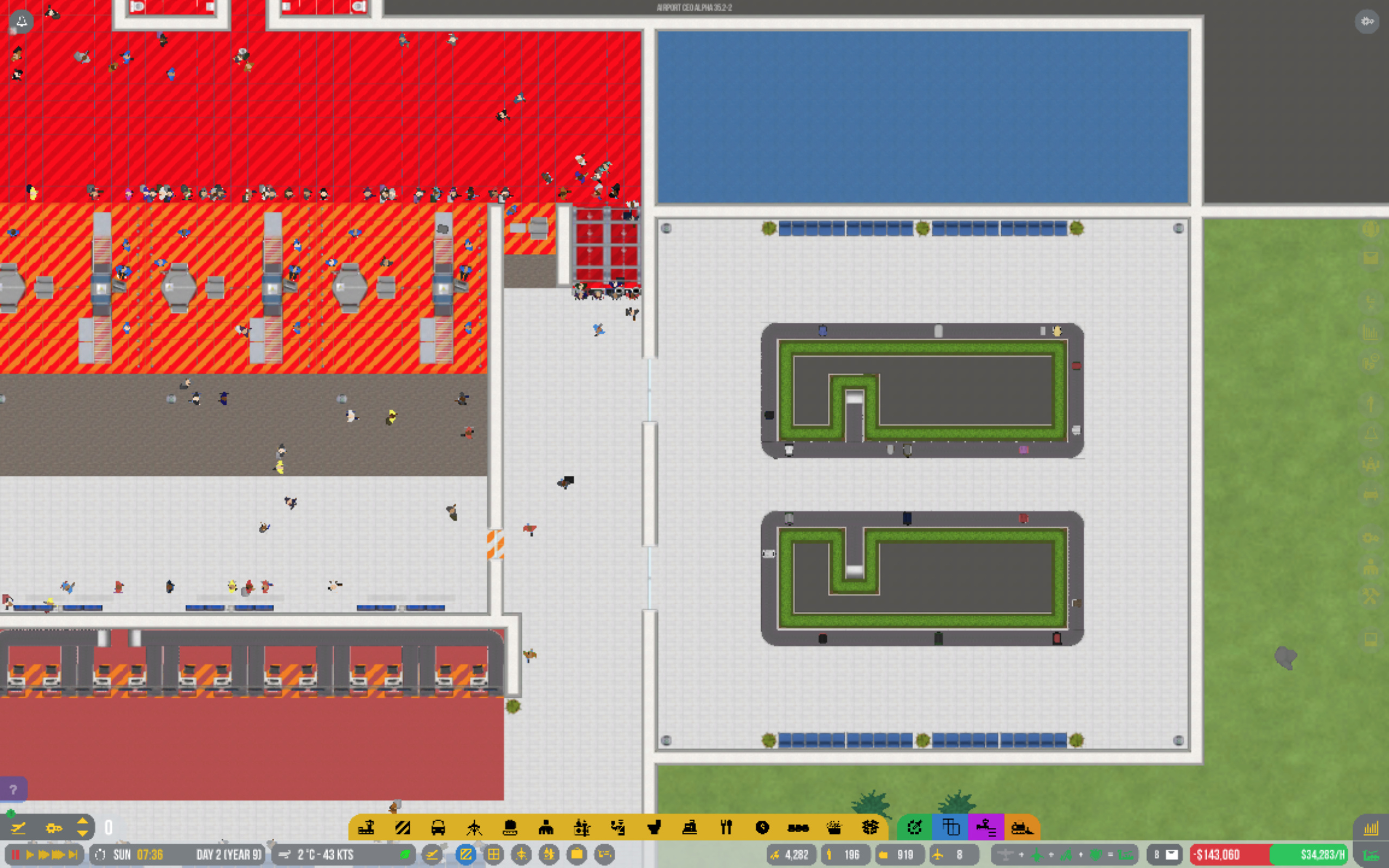
Passengers at my airport do not pick up their luggage after passing security.
The luggage claim is outside the safe area and next to one of the exits in that area.
Is anyone having this problem?
2 Likes
Screenshot with zones displayed? Or, better yet, post a savegame:
To post a savegame:
@danielsgf, Welcome to the ACEO Forum!
To answer your problem I may need screenshots to see if your zones and terminal layout are correct. Is there baggage going onto the baggage carousel? If so that is a very peculiar problem that I have not run into. The baggage system in this game is also very complex and messes with me sometimes too. It may be a problem with your baggage system or the zoning of the baggage claim area.