Yep same issue
Not sure if this is a bug, or something new implemented. Even with F10 construction simulation off, the contractors still have to delete everything. It this part of the new update @Olof?
you’re welcome @win_win always my pleasure. Anything, well almost anything to make those airports look spectacular!
I just watched multiple instances of baggage unloaded from a plane. The baggage cart then drove to the crosswalk between the terminal and the plane. All baggage from the cart disappeared and the cart returned to the vehicle depot.
I am suffering by the massive message on passengers cannot find the check-in desk. But some of the passenger still can on-board. I think it is not make sense, so I make a bug report which is ACEO-25918.
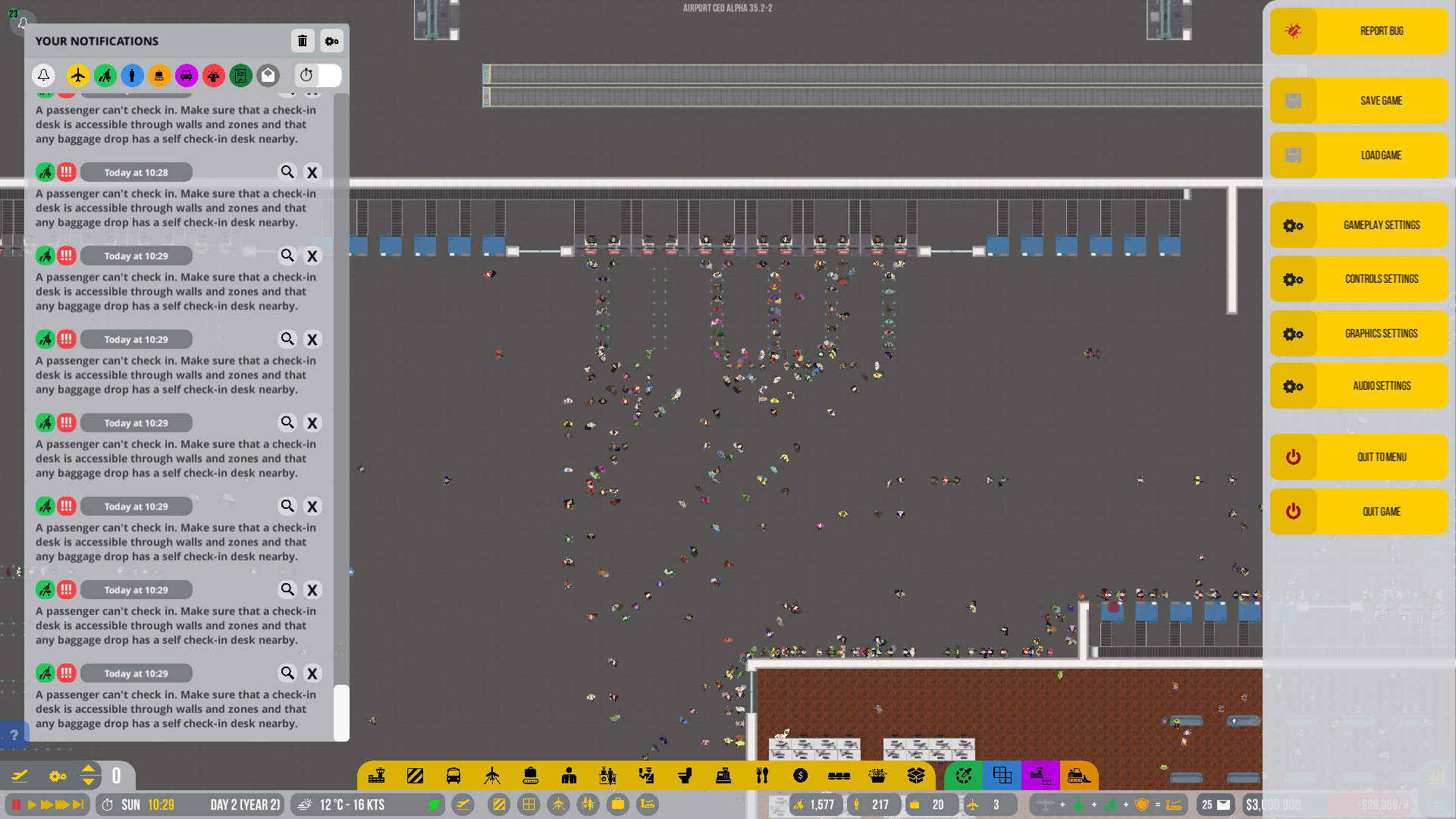
I believe this is an issue that happens when the queue for the check-in desks is not long enough. If a passenger approaches the queue and it’s already full of people, this message generates. I’ve found that it’s best to lengthen the queues to fix this. In your pic, you probably should lengthen said queues by at least a factor of 5, if not more.
I build more check-in desk. After that I feel this message fewer than before.
I think this message make me confuse as it said “cannot accessible”. That make me think it is blocked by the wall or zone. Thanks a lot. I wall keep checking on this issues.
1 Like
Yes I am getting like 1 bus per two hours its being very congested
What exactly are you doing then? If I recall correctly you need both the baggage self check-in AND the regular self check-in for it to work.
1 Like
I normally never build queues when I’m testing, but now I got the same messages and it is solved with building queues and that counts for all queueable desks including automated desks. The message makes sense if you calculate the queue with the desk as being the ‘accessible’ part of the desk, so PAX can indeed not ‘access’ the desk. Apparently PAX since A35 love to stand in pre shaped queues 
Does anyone else experience problems assigning vehicles to large stands? Also when assigning a terminal shouldn’t vehicles assigned to stands within the terminal automatically be assigned to the terminal area? I cannot assign any vehicle to a large stand right now. When assigning they move to the stand but as soon as they arrive they loose their assignment. Curious if others have the same experience.
EDIT: I’ve sent a bug report ACEO-25922
1 Like
Yes I have the same problem
Yeah I also had the same issue.
ACEO-25929 Baggage cart loses baggage
Mentioning this in this thread to determine if other players have this problem. This baggage cart at gate A12 just unloaded baggage from the aircraft. It is driving towards the stand’s crosswalk. Upon reaching it, the baggage disappears from the trailer, and the baggage cart returns to the vehicle depot, instead of driving to a cargo bay to unload
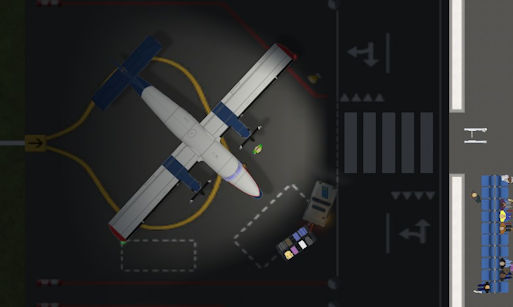
The aircraft immediately departs from the stand as well. Perhaps, because it was running an hour behind schedule.
This started happening after several non-stop hours of playing. (I let the game run while I did other things). Previously, the cart did return to the cargo bay and unloaded there. I’ve saved and reloaded the game. Even restarted the game itself.
About six hours ago (real life), I built a Medium Stand. I accept only domestic flight. I have received NO medium domestic flights. None. When I look at the Flight Planner window, it is cluttered with a hundred useless international flights in a dozen airlines; most, of whom, have medium aircraft in their fleet. I have both vanilla and mod airlines. I’ve verified that the stand has all requirements met and that “Traffic Type” is DISABLED, i.e., accept only domestic flights,
Again, I call for two toggles in either Flight Planner screen or Debug (F10-key): one toggle to enable/disable domestic, one toggle to enable/disable international. This will prevent unnecessary clutter of useless flights being generated and/or displayed in the Flight Planner window.
Where is your airport located?
Located in Washington, D.C… Reagan National (DCN).
See, even in big countries it offers mainly international flights.
I really suggest that the player can decide what plane lands on a domestic or international gate as the map is currently more a random and non calculateable decoration.
Great!
I wait until you addressed the zone colors before I build again.
The flight planner screen needs improvement since I bought the game.
I proposed sorting and filters, just a little has changed since then. It’s so long ago that I gave up hope that flight planner will get better soon. Instead we got neon-zones.
Good luck.